Live & Engineering
Your pit wall in the browser.
Tyres, weather, field and track map in real time – while your driver is still out on track.
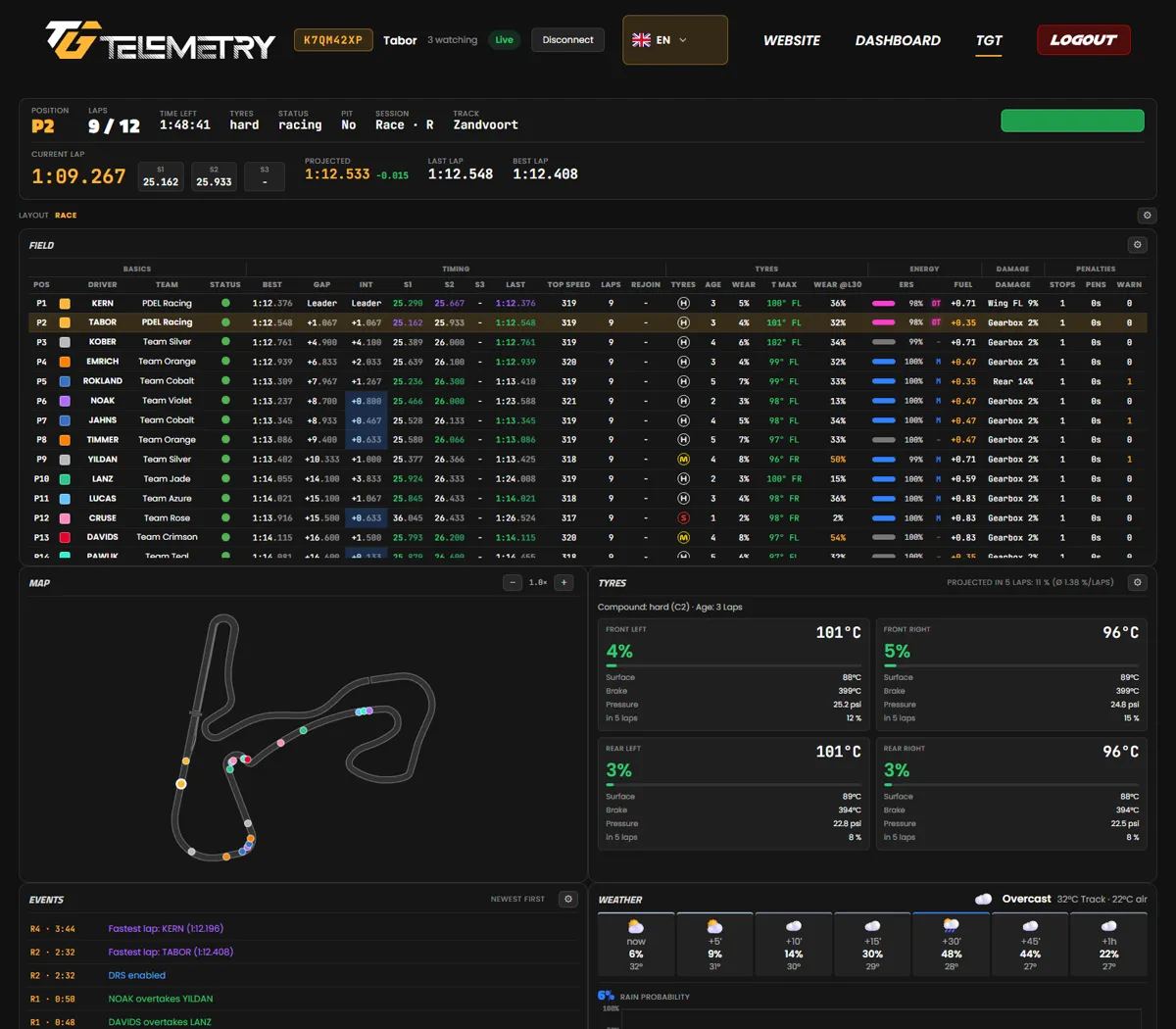


Telemetry for your F1 game
Live on the pit wall, then in your archive: THE GRID TELEMETRY records every session and turns it into analysis.
per month
drivers per team
live broadcasts at once
PC · console · phone
game on PC or console, analysis in any browser
How it works
Set it up once and every session records itself.
Switch on telemetry in the game, then start the app or the bot.
In the game · Telemetry
No Windows PC? The telemetry bot in Discord works without an app.
Practice, qualifying, race: the recording runs by itself.
After the session the recording is in your archive – ready to replay.
Live & Engineering
Tyres, weather, field and track map in real time – while your driver is still out on track.
Analysis
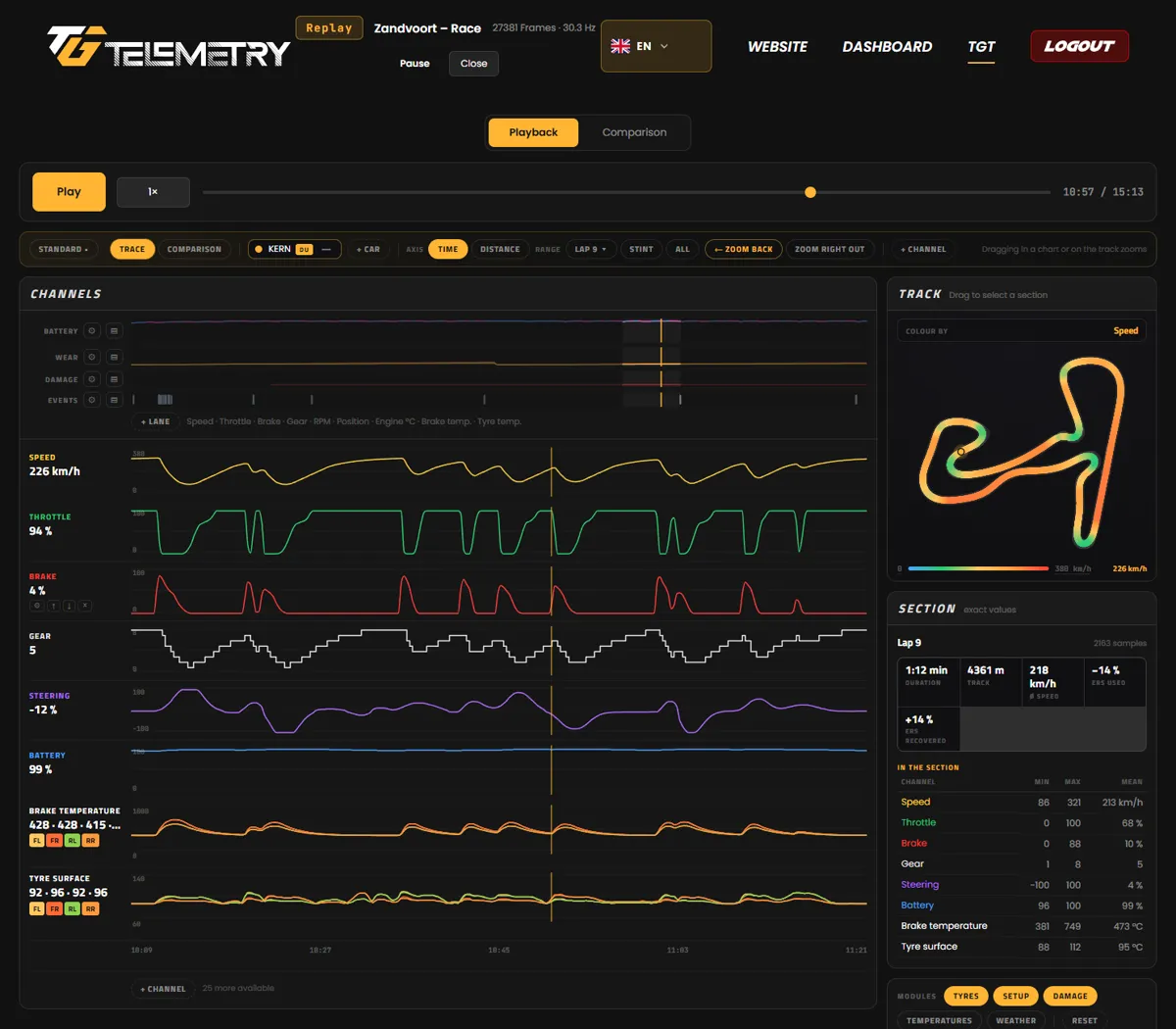
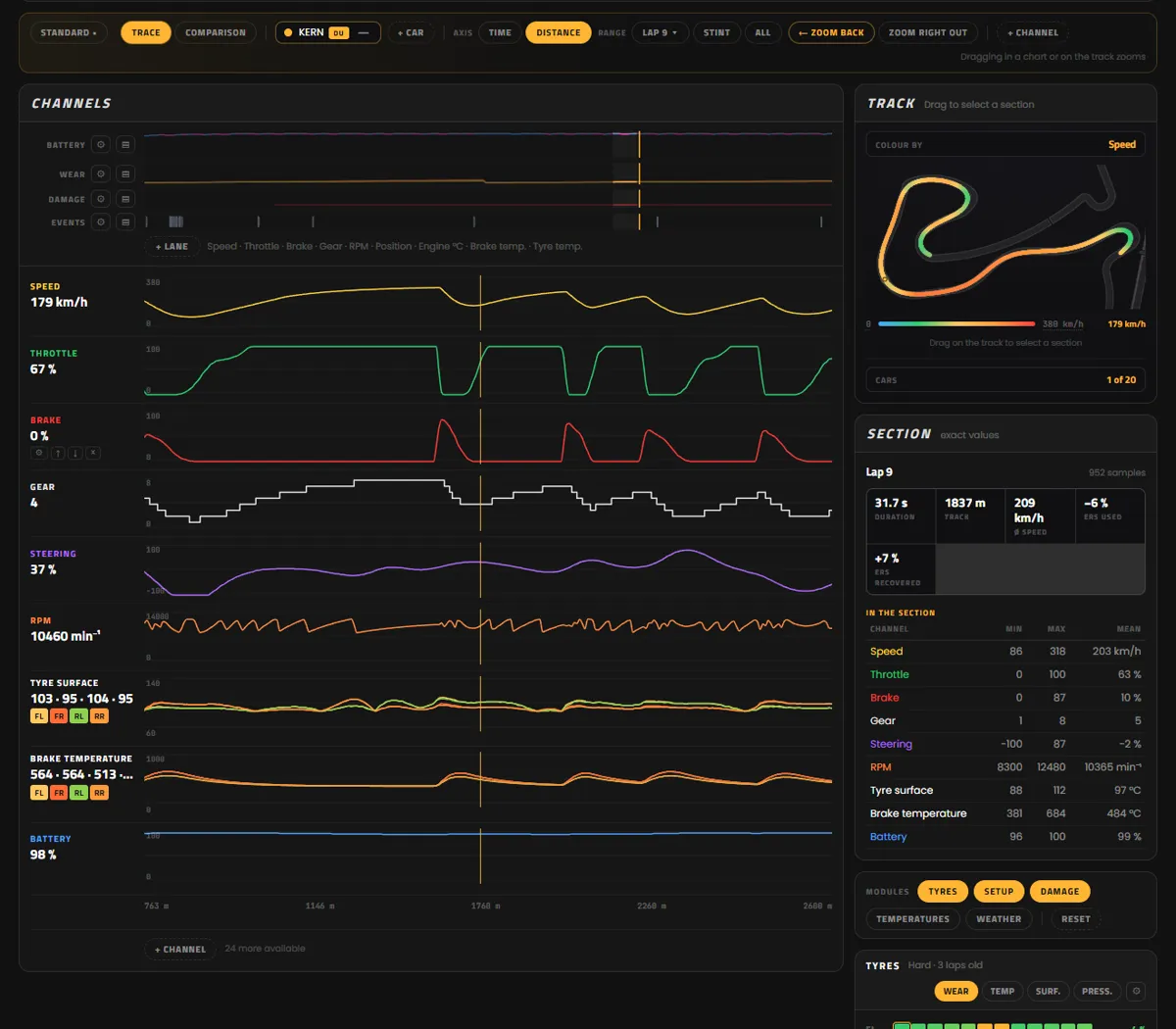
Stack channels, colour the track by any value, zoom into every corner.
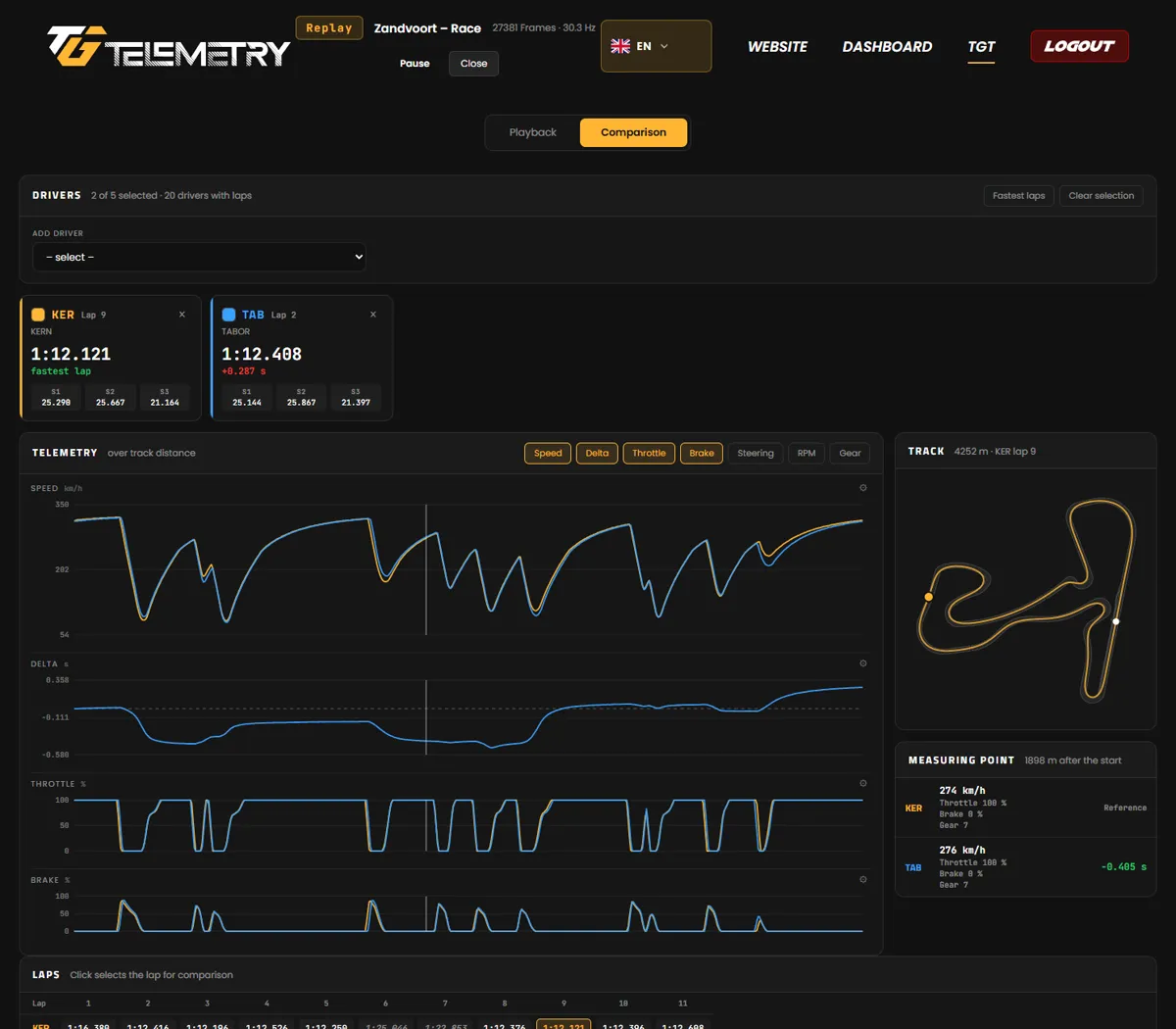
Lap comparison
The delta doesn't just show the gap at the line – it shows where it builds.
Team
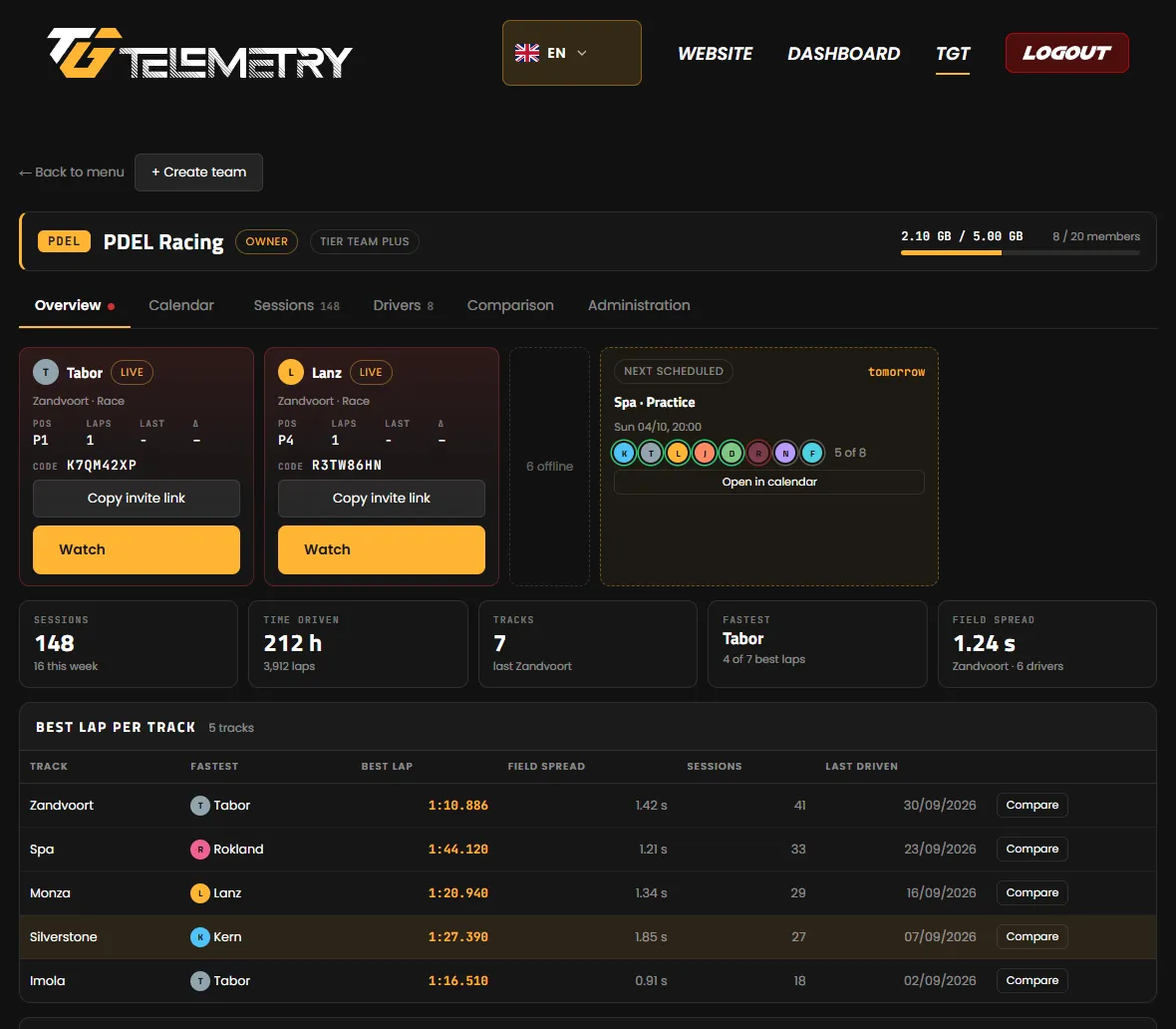
Shared sessions, a calendar with RSVPs and driver comparison per track.
Plans
From a personal archive to a league with 100 drivers. Monthly via Patreon.
How to buy: 1. Subscribe on Patreon · 2. Sign in to TGT and connect Patreon – your plan unlocks automatically.
Plans couldn't be loaded right now.
Start TGTFAQ
The current F1 game. Set the telemetry format in the game to the current year.
No, one is enough. The app runs on your Windows PC. The bot runs in Discord and receives the data over the internet.
Yes. The console sends its telemetry to the app on your PC or to the bot.
Not yet – it's coming later. Until then, the telemetry bot works without installing anything.
Live view, archive and analysis work in your phone's browser. Recording needs the app or the bot.
Your archive stays readable for 90 days. After that, the recordings are deleted.
Yes, as long as the app isn't signed yet: click “More info”, then “Run anyway”.
Join our Discord – the team is happy to help.
Join the Discord server